
Wave Copilot
The WAV File Swiss Army Knife for Field Recordists and Post-Production Pros.
Split poly WAVs. Edit metadata in batch. Generate sound reports. Convert formats. Export to MP3 or AAC. Conform backup recordings by timecode. All in one tool, no subscription.
- Split and combine polyphonic WAV files up to 32 channels
- Edit bEXT and iXML metadata across hundreds of files in seconds
- Generate professional PDF sound reports in one click
- Convert WAV files without losing timecode and metadata
On location or in post, WAV file management eats up time that should go to creative work. Wave Copilot is the desktop tool that handles all of it – splitting, merging, editing metadata, playing back multi-channel audio, converting formats, and generating delivery reports – so you can focus on the work that actually matters.
One-time purchase. No subscription. Works offline. Windows & macOS
 | Download Free Trial – Windows |
 | Download Free Trial – macOS Apple Silicon Download Free Trial – macOS Intel |
Original price was: $39.99.$29.99Current price is: $29.99.
Built for the people on set and in the suite
- Location Sound RecordistsYou come back from a shoot with folders of polyphonic WAV files. Wave Copilot splits them into clean mono tracks, lets you batch-edit scene, take, and track metadata, and generates a formatted sound report for the editor - in minutes, not hours.
- Post-Production Sound EditorsManaging large WAV libraries means constantly renaming, reformatting, and validating files. Wave Copilot's batch metadata editor and format converter handles that work in bulk, so you're not clicking through files one by one.
- Broadcast EngineersConvert sample rates (44.1kHz to 192kHz) and bit depths (16, 24, 32-bit integer and float). Export to MP3 or AAC for client sharing, reference cuts, or any workflow that doesn't require lossless audio. Most converters strip your metadata and break your timecode when converting, Wave Copilot doesn't. All bEXT and iXML metadata is preserved, timecode is recalculated correctly for the new sample rate, and ID3 tags are embedded in MP3 exports. Normalize to -1 dBFS in one step as part of the conversion, with automatic -2 dBFS headroom for MP3 and AAC to prevent clipping after encoding. Professional dithering algorithms (TPDF and Lipshitz Noise Shaping) prevent artifacts. Clipping detection built in.
Key Features
Polyphonic File Management
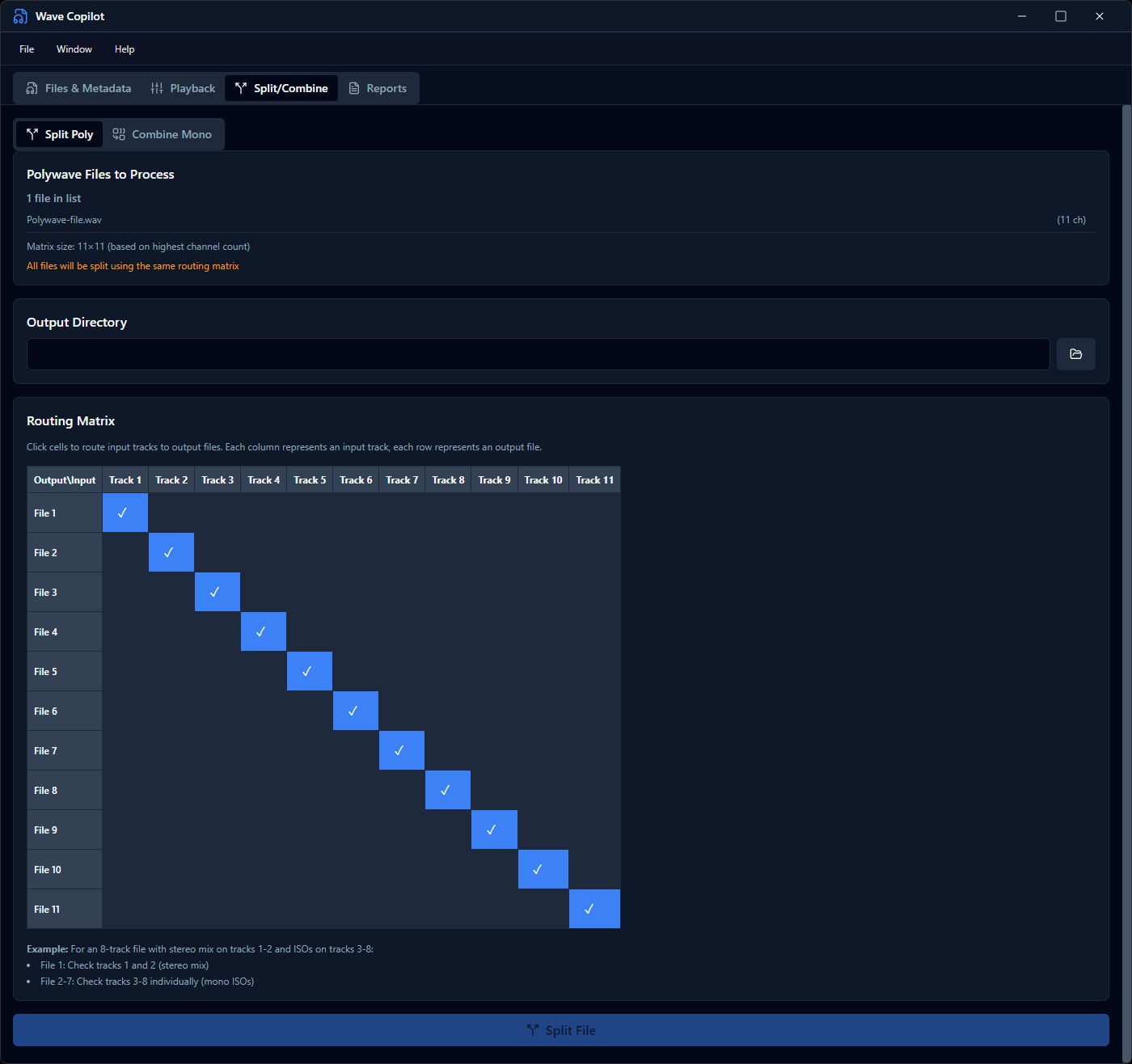
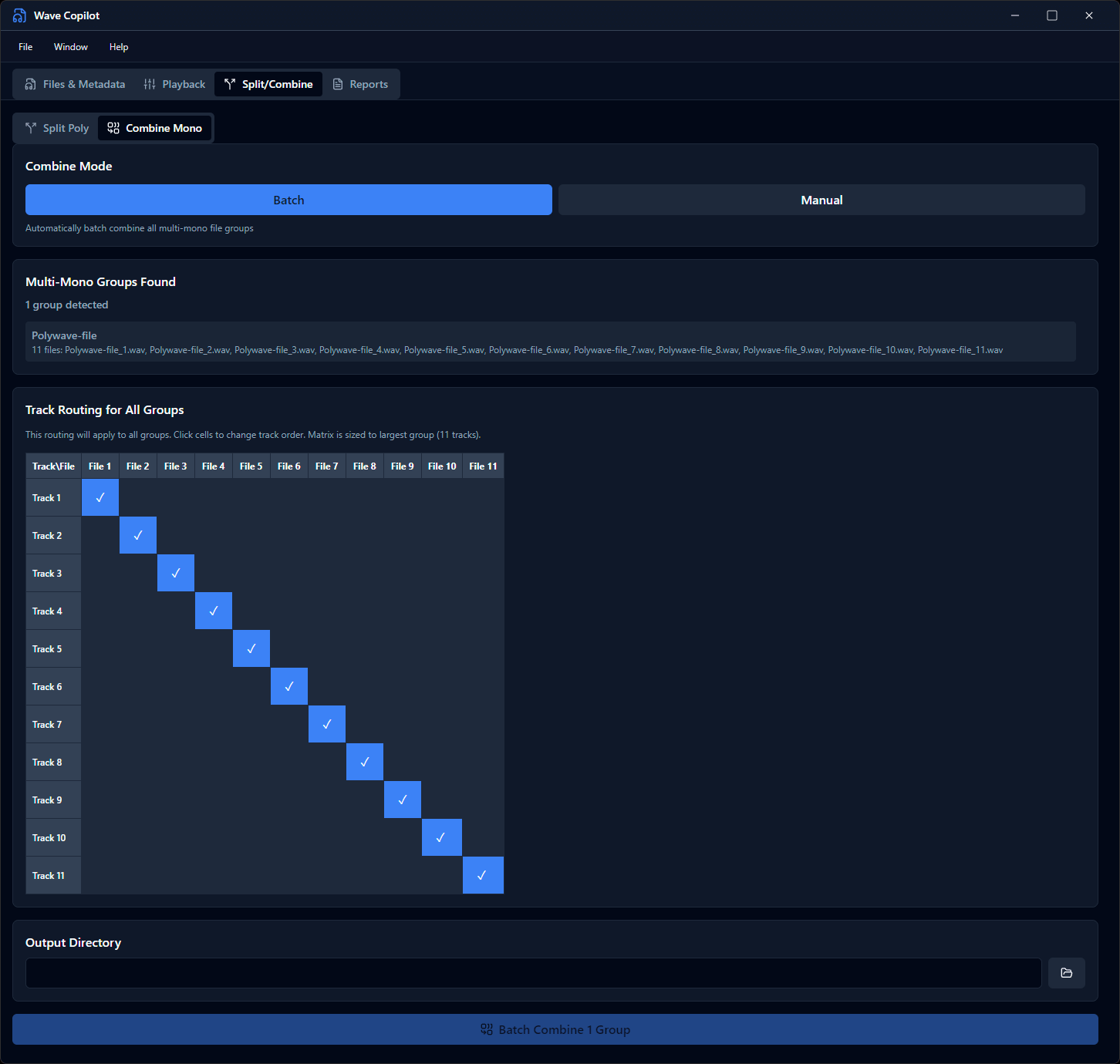
Handle WAV files with up to 32 channels. Split any poly WAV into individual mono files with one click, or combine mono files back into a single polyphonic WAV. Drag-and-drop track reordering lets you remap channels before combining.
Large File Support (RF64)
Read and write WAV files larger than 4GB with full RF64 support. Automatic RF64 detection and creation. Tested with files over 100GB. No file size limits.
32 bit and 32 bit float support
Wave Copilot handles everything from 44.1kHz to 192kHz, 16 to 32-bit float
Batch Metadata Editor
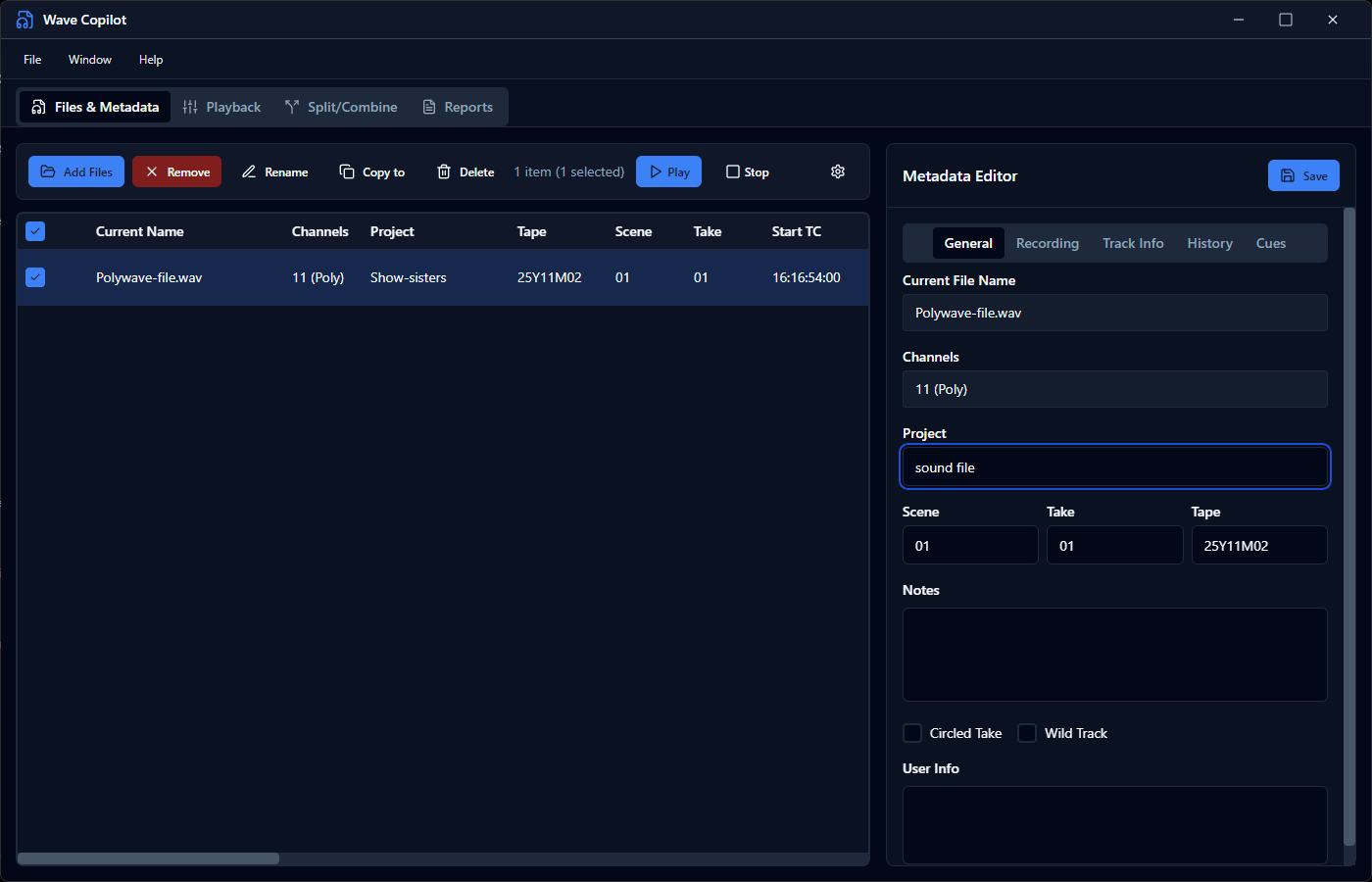
Edit Broadcast WAV (bEXT) and iXML metadata across multiple files simultaneously. Update project name, scene, take, track names, notes, and timecode in bulk - no more touching files one at a time. Full timecode support with automatic calculation.
Conform Backup Recordings to Timecode
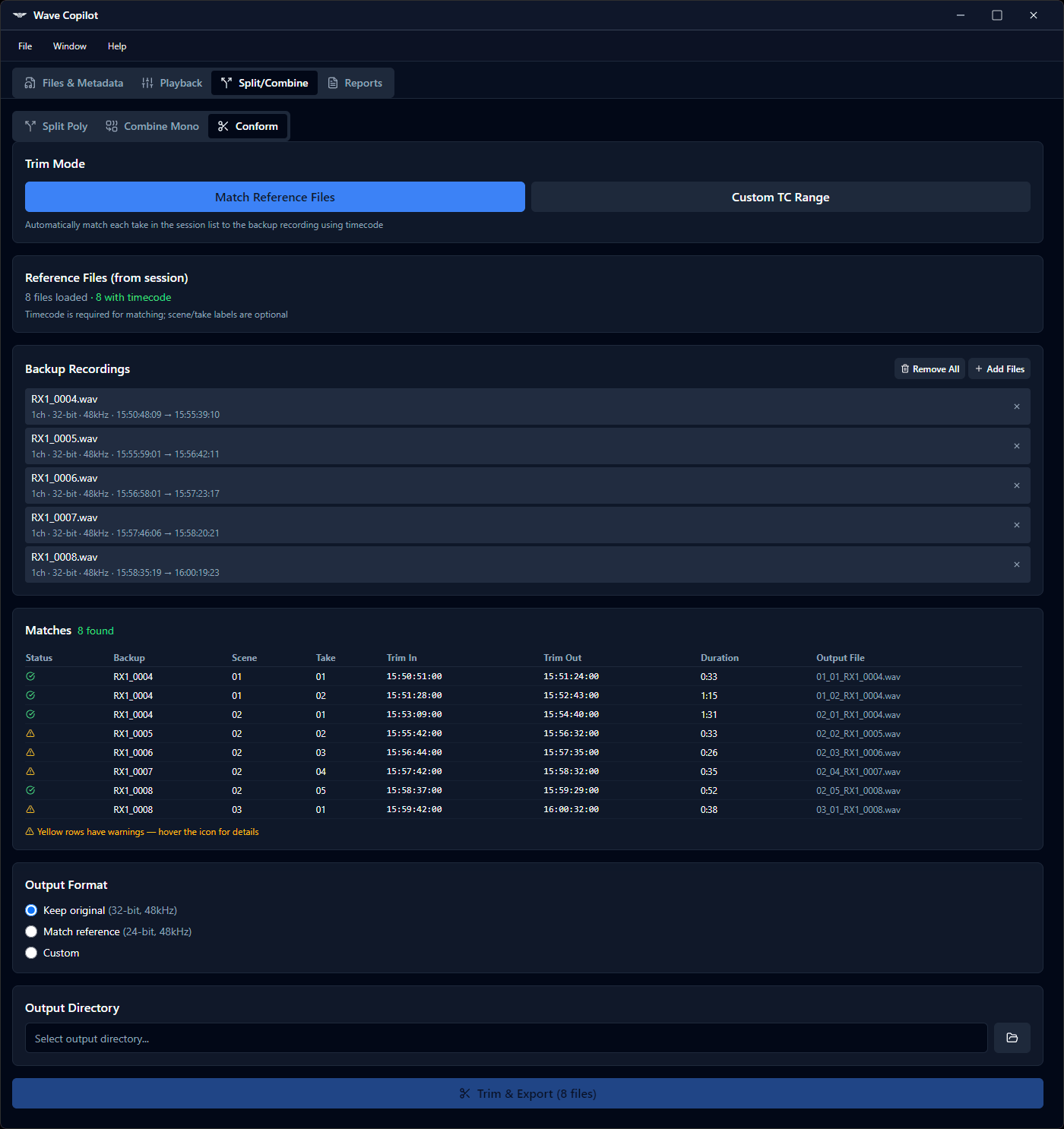
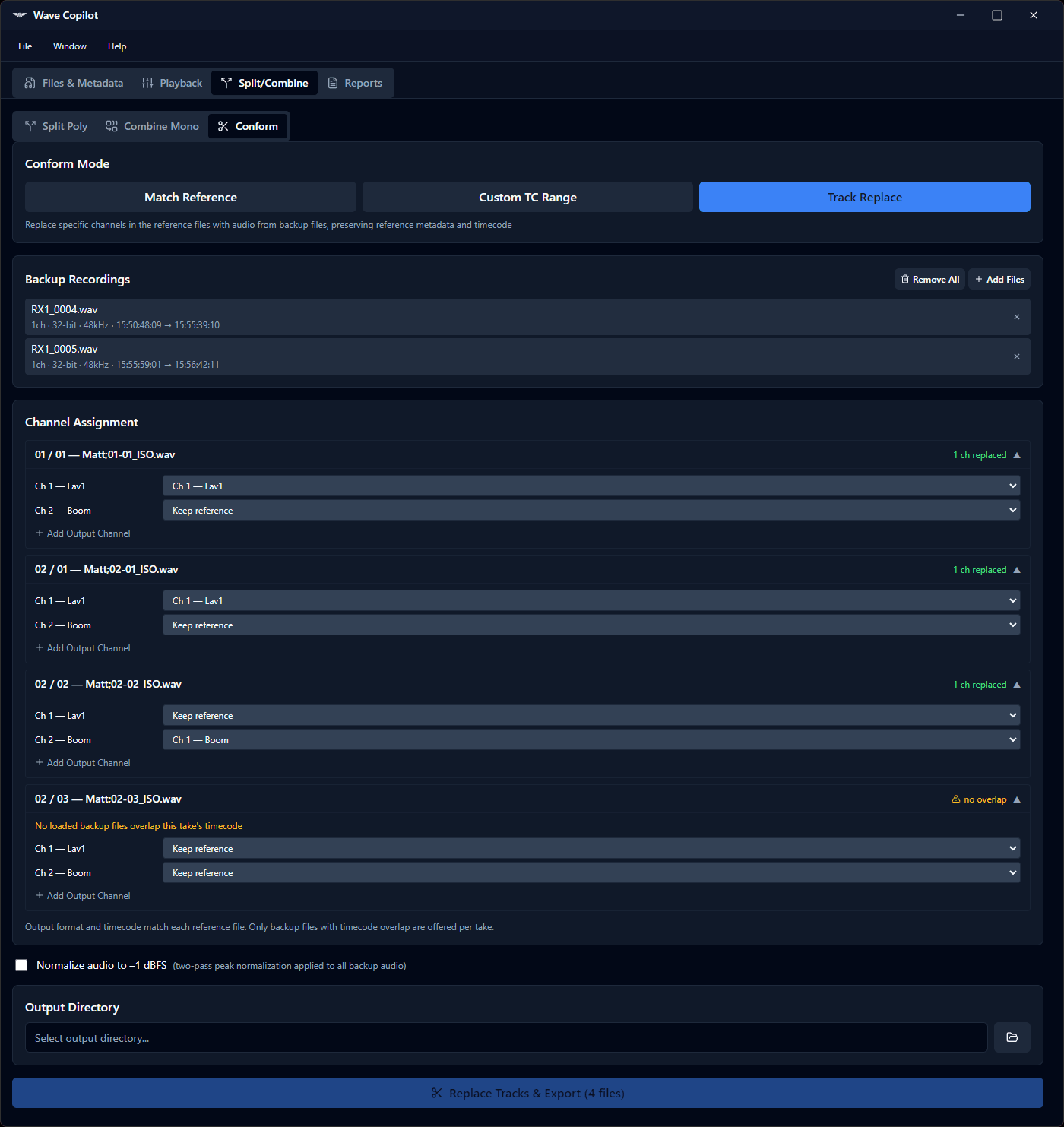
When you have backup recordings alongside your primary files, from a second recorder, a belt pack, or a safety rig, Wave Copilot's conform tool handles three distinct situations:
File-to-file: Trim each backup file to cover exactly the same timecode range as its corresponding primary file. The output aligns sample-accurately with the primary.
Custom TC range: Specify a timecode IN and OUT point manually and extract that window from all selected backup files. Files outside the range are skipped; files that partially overlap are trimmed to the overlap region.
Replace Track: When a channel in your primary polyphonic file recorded unusable audio, wireless interference, a dropout, a dead receiver, this mode replaces that specific track inside the primary file with the clean audio from the backup recorder. The primary file stays intact; only the bad channel is swapped out.
All three modes include a Normalize to -1 dBFS option. When enabled, each backup channel is analysed before extraction and a gain adjustment is applied so the peak level reaches -1 dBFS. Particularly useful for 32-bit float backup recordings that were captured at very low levels.
Batch process a full day's worth of files in one operation. Original files are never modified; Wave Copilot always writes new output files.
32-Track Mixer & Playback
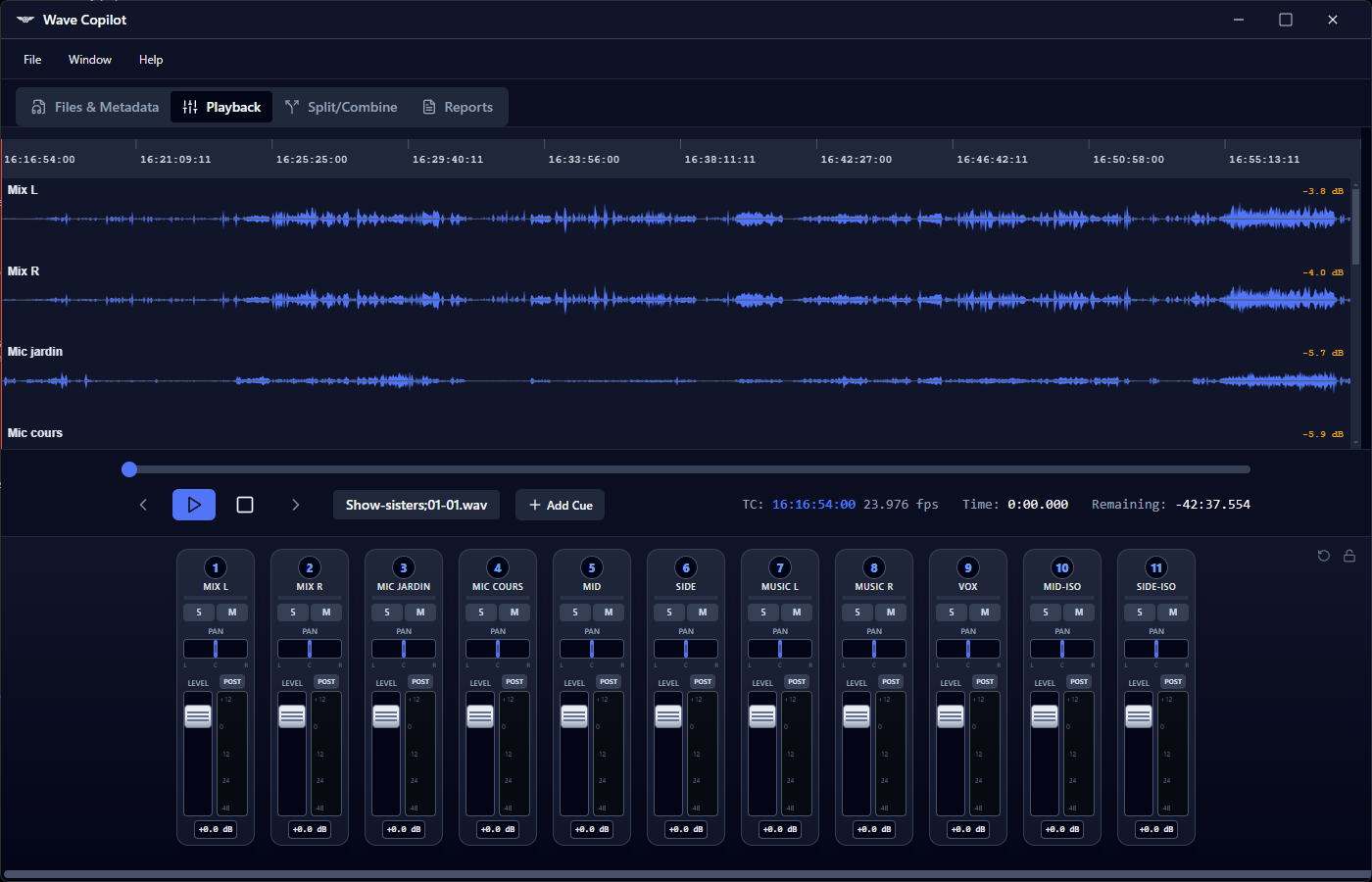
Play back any WAV file - up to 32 channels simultaneously. Per-channel gain, pan, solo, and mute controls. Pre-fader metering with clip indicators. Waveform visualization with a timecode ruler. Lock your mixer settings and carry them forward to the next file, so when you're reviewing a full day of recordings, your monitoring setup follows you without reconfiguration. When you've dialled in your levels, Export Mix bounces your current gain, pan, solo, and mute settings to a new WAV file — a quick rough mix without opening a DAW.
Format Conversion - Without Losing Metadata or Timecode
Convert sample rates (44.1kHz to 192kHz) and bit depths (16, 24, 32-bit integer and float). Export to MP3 or AAC for client sharing, reference cuts, or any workflow that doesn't require lossless audio. Most converters strip your metadata and break your timecode when converting - Wave Copilot doesn't. All bEXT and iXML metadata is preserved, timecode is recalculated correctly for the new sample rate, and ID3 tags are embedded in MP3 exports. Professional dithering algorithms (TPDF and Lipshitz Noise Shaping) prevent artifacts. Clipping detection built in.
Sound Reports
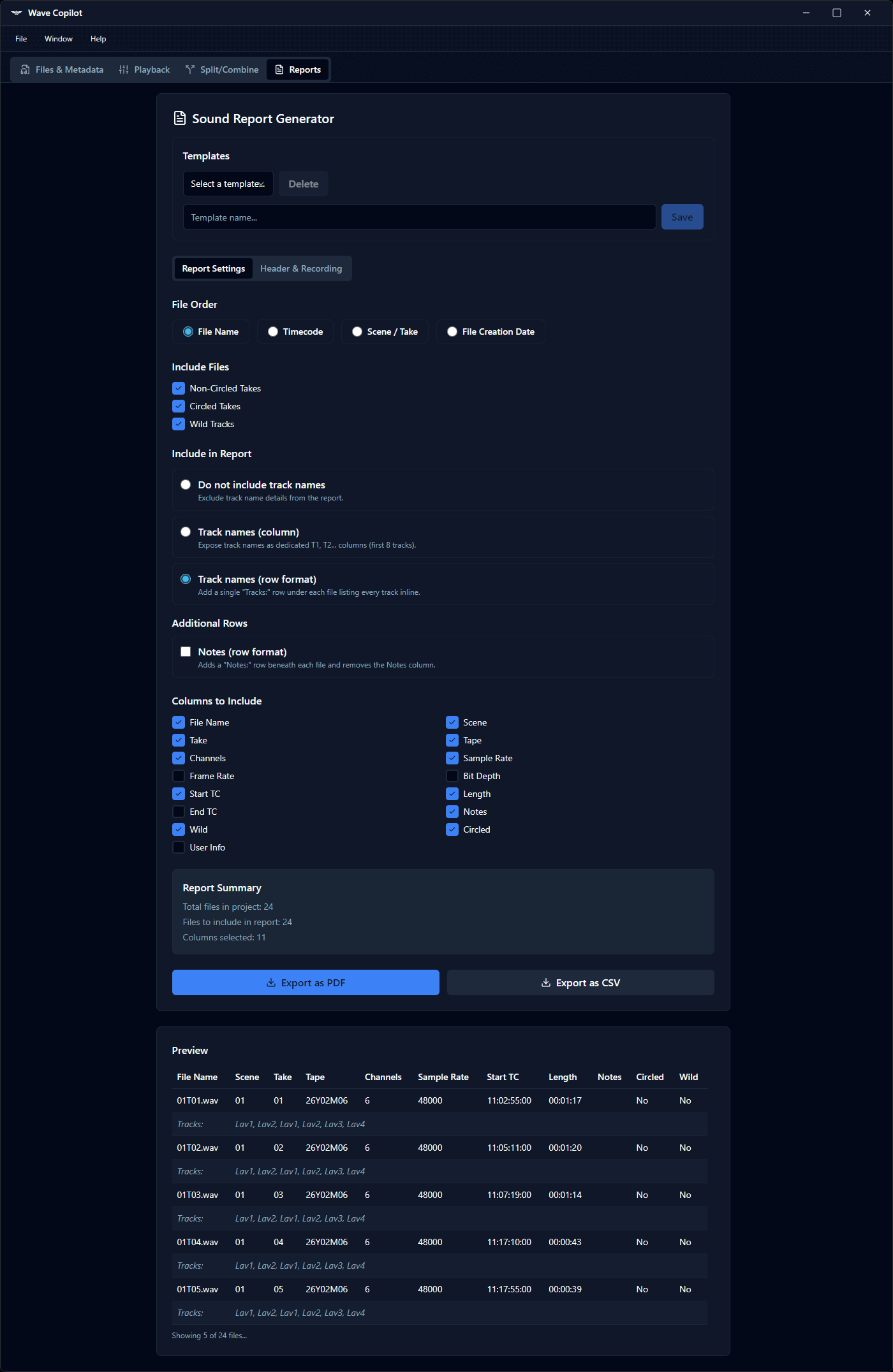
Generate professional sound reports in PDF or CSV format. Customizable content and layout, formatted the way productions expect them. Save report templates for recurring productions — set your columns, info and layout once, and reuse them every day of the shoot. Deliver a complete report to the editor the same day you wrap shooting.
Technical Specifications
| Specification | Details |
|---|---|
| Supported Formats | WAV (PCM, IEEE Float), RF64 (files >4GB), MP3, AAC |
| Channels | Up to 32 tracks polyphonic |
| Sample Rates | 44.1, 48, 88.2, 96, 176.4, 192 kHz |
| Bit Depths | 16, 24, 32-bit integer & 32-bit float |
| File Size | Unlimited — automatic RF64 handling for files >4GB |
| Metadata | bEXT, iXML (full broadcast standard) |
| Platforms | Windows, macOS, Linux |
| Export | PDF reports, CSV exports |
Pricing
- Launch price. One-time purchase. No subscription.
- Activate on up to 2 computers. License transferable between machines.
- Sound Editors - Organize multi-track sessions with professional metadata standards
- 14-day free trial - full functionality, no credit card required.
System Requirements
- Windows 10 or later (64-bit)
- macOS 10.13 or later - Intel and Apple Silicon
Download the 14 day trial - all features unlocked, no credit card required.
 | Windows 10 or later (64-bit) Download Wave Copilot for Windows |
 | macOS 10.15 or later (Intel & Apple Silicon) Download Wave Copilot for macOS Apple Silicon Download Wave Copilot for macOS Intel |

