
Wave Merge
Broadcast Audio Delivery — Built for Speed, Built to Spec.
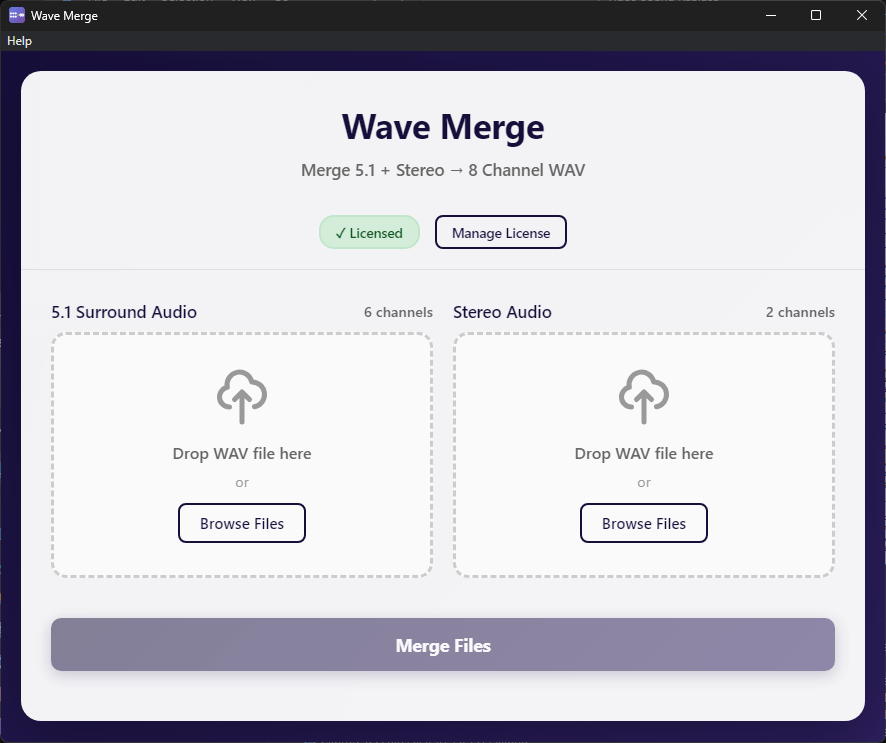
Merge 5.1 surround + stereo into a perfect 8-channel WAV in seconds. No DAW required.
Every TV and streaming delivery requires a very specific audio channel layout. Building it manually in Pro Tools or a DAW means routing sessions, plugins, and time you don’t have. Wave Merge does it in one step.
Drop in your 5.1 file. Drop in your stereo. Hit Merge. Done.
 | Download Free Trial – Windows |
 | Download Free Trial – macOS Apple Silicon Download Free Trial – macOS Intel |
$9.99
Building broadcast deliveries in a DAW is slow and error-prone
Audio post-production engineers know the pain: you have a perfect 5.1 mix and a stereo downmix, and your delivery spec requires them combined into a single 8-channel WAV. In a DAW, that means creating a new session, setting up routing, assigning channels, checking levels, exporting, and validating.
Wave Merge eliminates all of that. It merges your files at the sample level — no re-encoding, no quality loss — and automatically validates that your files are compatible before it starts.
Why use Wave Merge instead of your DAW?
| Pro Tools / DAW | Wave Merge | |
| Setup time | 10–20 minutes | 30 seconds |
| Risk of channel routing error | High | None — auto-validated |
| Requires an active DAW license | Yes | No |
| Works without opening a session | No | Yes |
| Quality loss from re-encoding | Possible | Never — sample-copy only |
Handles the three most common broadcast delivery formats
Scenario 1 — 5.1 + Stereo (Full Surround Delivery)
- Channels 1–6: Your 5.1 surround mix (L, R, C, LFE, Ls, Rs)
- Channels 7–8: Your stereo mix
Standard delivery for streaming and broadcast
Scenario 2 — Stereo with Silent Channels
- Channels 1–2: Stereo mix
- Channels 3–6: Silence (as required by spec)
- Channels 7–8: Stereo mix (repeated)
For stations requiring stereo on specific channel positions
Scenario 3 — Described Video (DV) Delivery
- Channels 1–2: Main program mix (stereo)
- Channels 3–6: Silence
- Channels 7–8: Described Video mix
Accessibility-compliant deliveries for Canadian broadcasters
Professional-grade specs. Simple interface.
- One-click merging — no routing, no session setup
- Zero quality loss — direct sample-level copying, no re-encoding
- Automatic validation — checks sample rate, bit depth, channel count, and duration before merging
- Full RF64 support — handles files over 4GB without issues
- Sample rates: 44.1kHz to 192kHz
- Bit depths: 16-bit, 24-bit, 32-bit
- Drag-and-drop interface
- Real-time progress tracking
- Works completely offline — no internet connection required
- 14-day free trial — full functionality, no credit card required
- One-time purchase, no subscription
Pricing
- One-time purchase. No subscription. No monthly fees.
- Perpetual license — one machine, transferable.
- Free updates for the current major version.
System Requirements
- Windows 10 or later (64-bit) — 4GB RAM minimum
- macOS 10.15 or later — Intel and Apple Silicon — 4GB RAM minimum
Download the 14 day trial - full functionality, no credit card required.
| Windows 10 or later (64-bit) Download Wave Merge for Windows |
| macOS 10.15 or later (Intel & Apple Silicon) Download Wave Merge for macOS Apple Silicon Download Wave Merge for macOS Intel |

